
Quote the work. Show the result.
Generate and review a private business proposal before sharing.
Why this helps
Choose SMS only when ready; HiveSync sends nothing automatically.

From quote to delivery record.
Quote against the client's request, carry only the agreed work into the field, and return a reviewable report.
HiveSync proposal
Quote the requested work
Generate the work, timing, assumptions, exclusions, and price in a private business proposal.
View an example report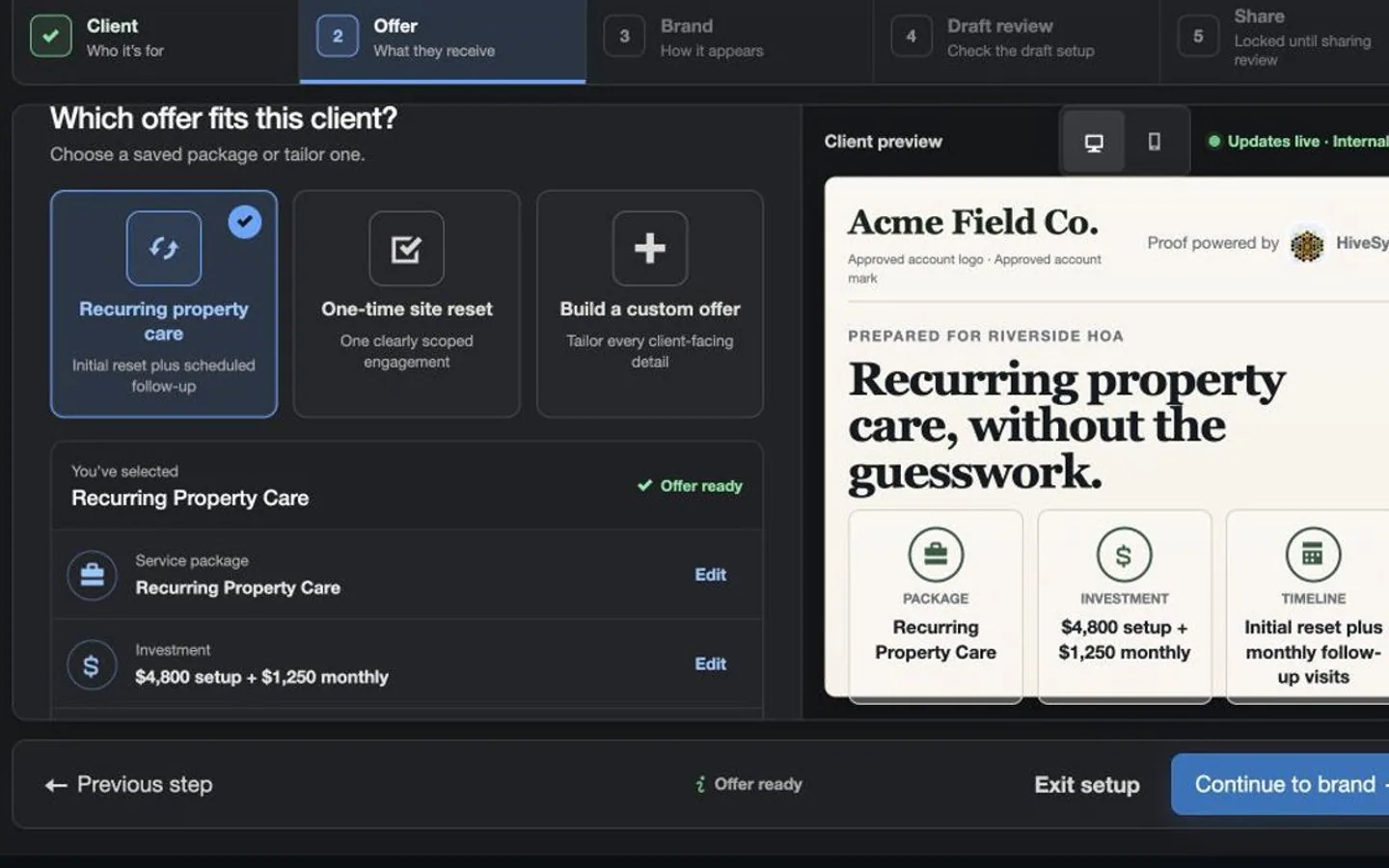 Illustrative persona demo · Nothing is saved, sent, purchased, or published.
TeamSync
Hand off the approved work
Give the approved worker the agreed work, limits, and completion checklist.
View an example report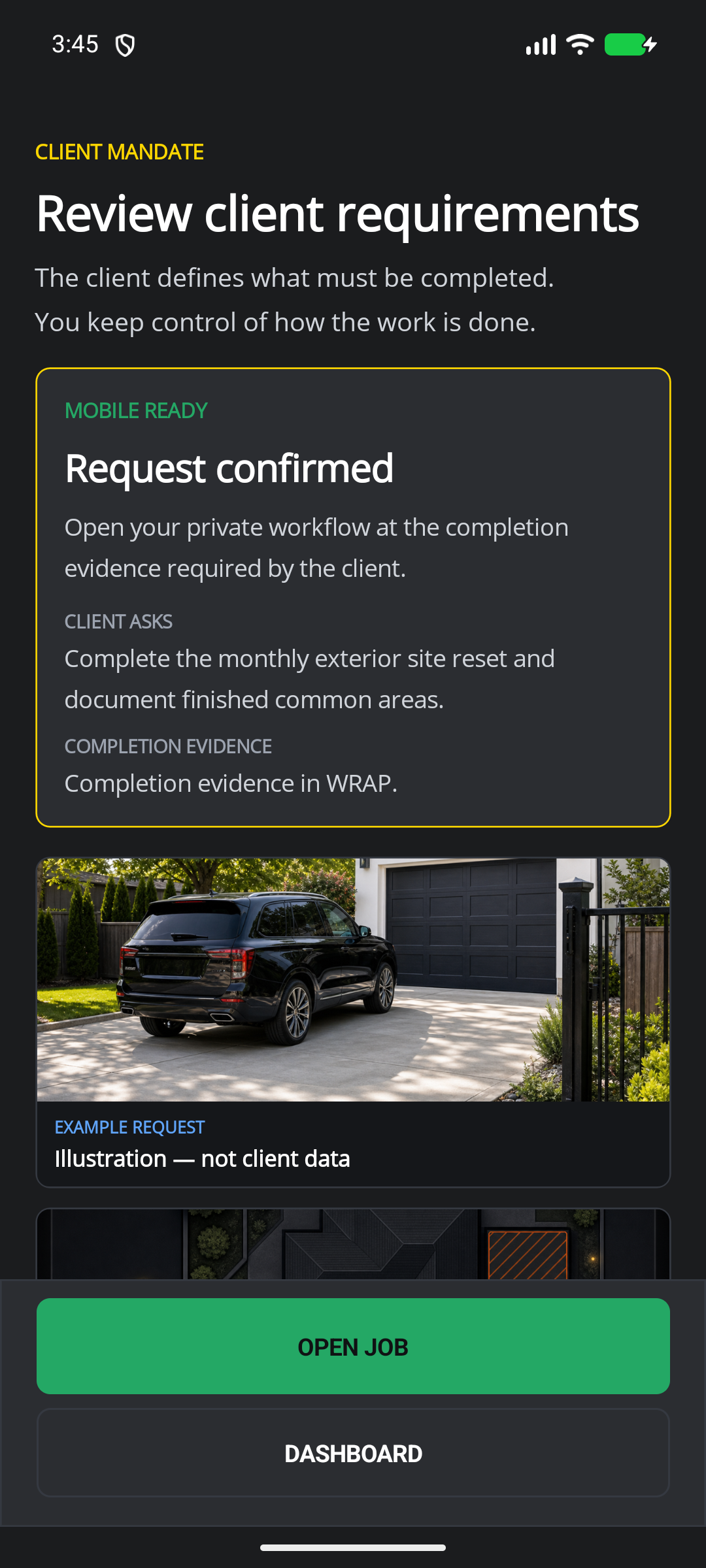 Illustrative persona demo · Nothing is saved, sent, purchased, or published.
HiveSync report
Report what was delivered
Review the recorded result and keep delivery connected to the accepted proposal.
View an example report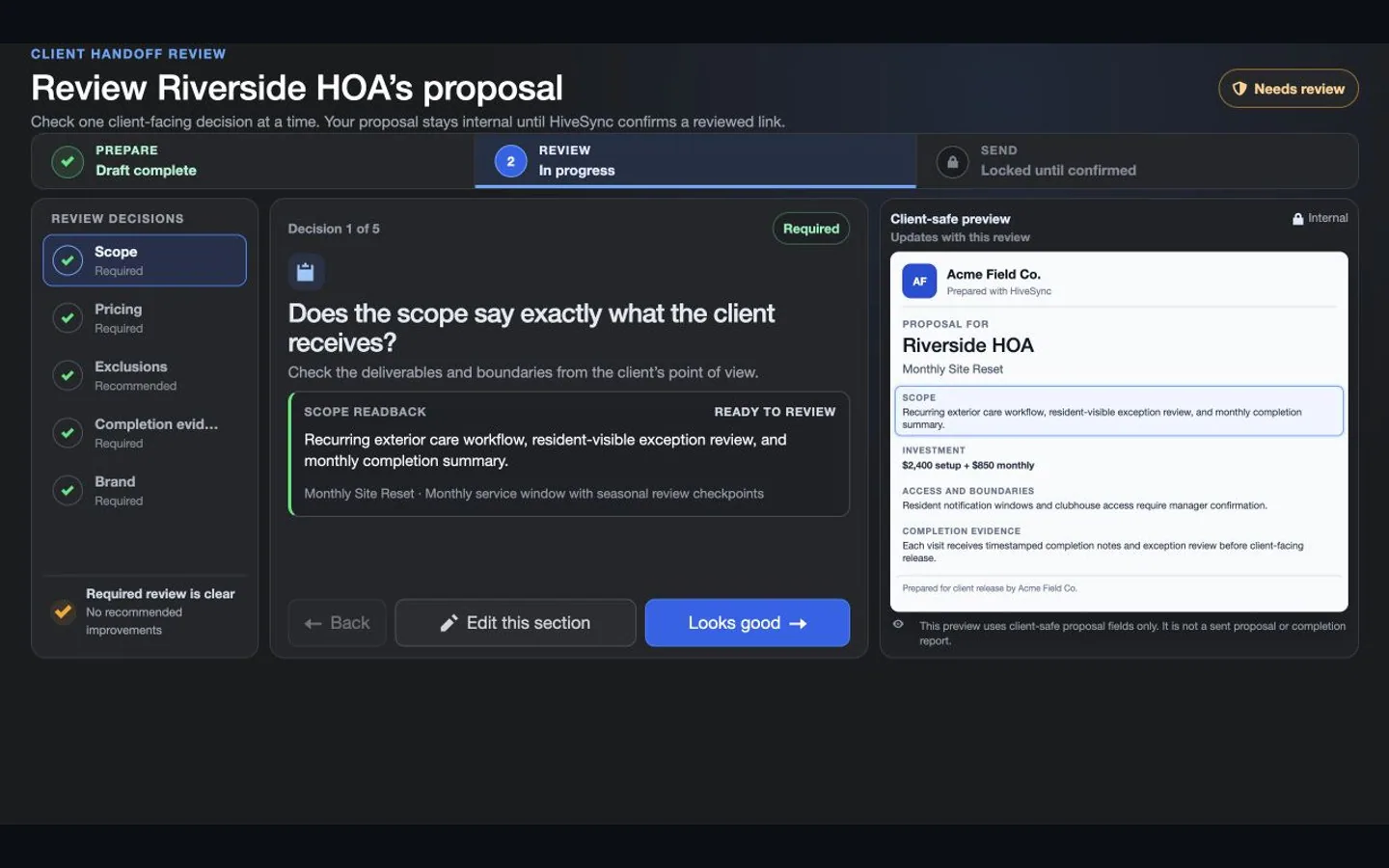 Illustrative persona demo · Nothing is saved, sent, purchased, or published.

Keep the Plan Moving
See how personal trainers and physical therapists organize existing routines on the web and help clients follow instructions and timing on mobile.
3:30 · Illustrative portrayals and development demonstrations with fictional data. Mobile testing continues. MoveSync does not assess exercise form or promise recovery.
Why HiveSync
Sell clearly. Deliver consistently.
Keep the quote, work, photos, checklists, and final report together.
Understand the request
Keep the client's needs and your questions beside the requested result.
Generate the proposal
Benefit details
Present the work, timing, price, exclusions, and delivery in one private business-proposal document.
Show what was done
Benefit details
Complete the plan and turn photos, checklists, and notes into a client-ready report.
Recommended starting point
Start with Pro for a solo practice.
Compare current access and pricing on the web.
Subscription plan
Pro
Solo professional plan Best for a solo provider building repeatable work and client-ready delivery. Create private Blueprints and MoveSync plans, publish approved Blueprints, and use the reports and branding included in your plan. Compare ProSee other access options
Subscription plan
Team
Team workspace plan Best when several people own tasks, handoffs, and shared templates. Coordinate team work, assign responsibilities, plan daily stops, and share templates and reports. Compare TeamCompare more ways to buy
Check the pricing page for current prices and access. Comparing an option does not buy it.
What you can use nowYou stay in control of the work
What this does
You stay in control of the work
HiveSync organizes requirements, proposals, assignments, evidence, and reports. It does not certify quality, guarantee a client decision, or replace professional judgment.
- A proposal remains private until the provider chooses SMS or another available channel.
- The rich preview contains no private proposal, address, agreement, client, evidence, or bearer-capability details.
- Saving a quote does not accept work or charge the client.
- Publishing and earning from Blueprints require a separate creator review.
What comes later
Automatic lead routing, held payments, and service booking may come later.
Read common questions4 answers
Questions and answers
Questions providers ask before starting
Can I respond to a client's RFP?
The page is designed around that journey: receive clear requirements, clarify them, then prepare a private response and proposal.
Does creating a quote publish it?
No. A quote remains a private draft until an authorized user explicitly sends it.
Do I have to become a marketplace creator?
No. Service-provider workflows and creator publishing are separate. A provider can quote and deliver work without opening a creator storefront.
Which plan fits a small crew?
Pro is the solo starting point. Team is the natural fit when several people need shared ownership, handoffs, and reporting.
Turn the next request into repeatable work.
Draft the quote, then keep delivery connected through completion.