
Brief the listing. Track the work.
Describe listing work once and share one request with selected professionals.
Why this helps
Keep the approved plan with the job until it is complete.

From listing brief to reviewed delivery.
Brief the property-safe request, hand the approved details to the selected professional, and review delivery against the same brief.
HiveSync request
Brief the listing-media request
Define deliverables, timing, access, and approval needs without resident details.
Create a media request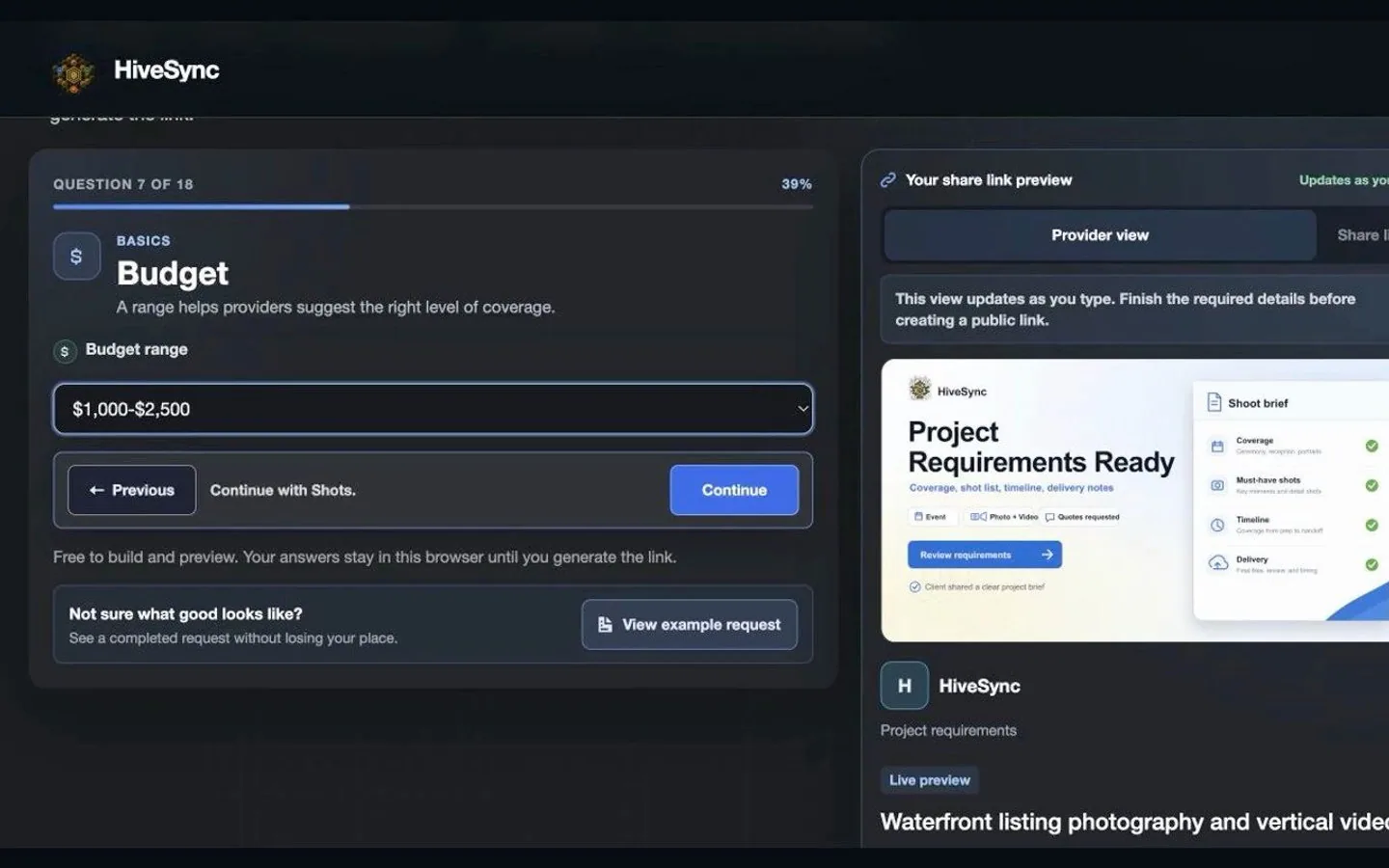 Illustrative persona demo · Nothing is saved, sent, purchased, or published.
TeamSync
Hand off the listing brief
Carry the approved listing requirements into the field for the selected professional.
Create a media request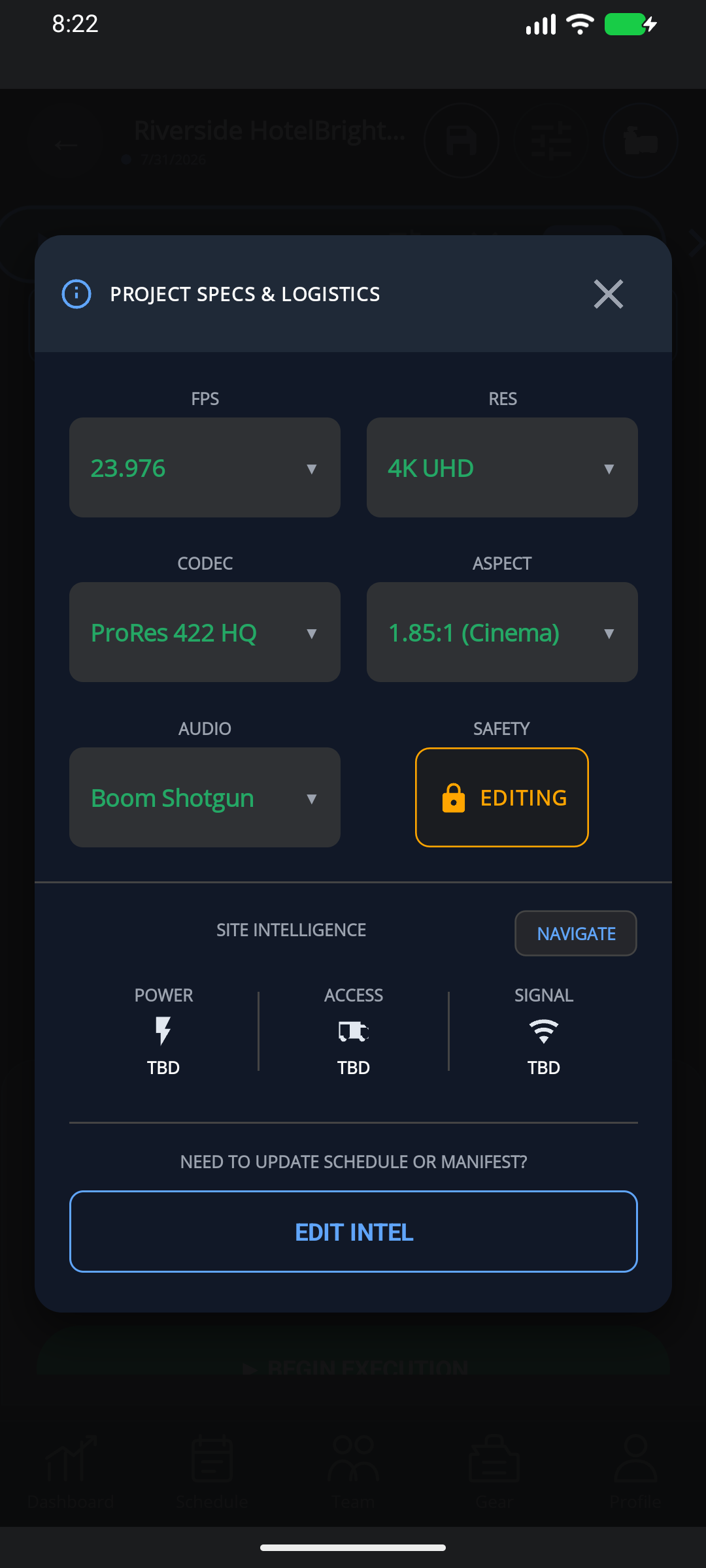 Static product state
HiveSync record
Review the listing delivery
Review the provider's delivery and keep it connected to the original listing brief.
Create a media request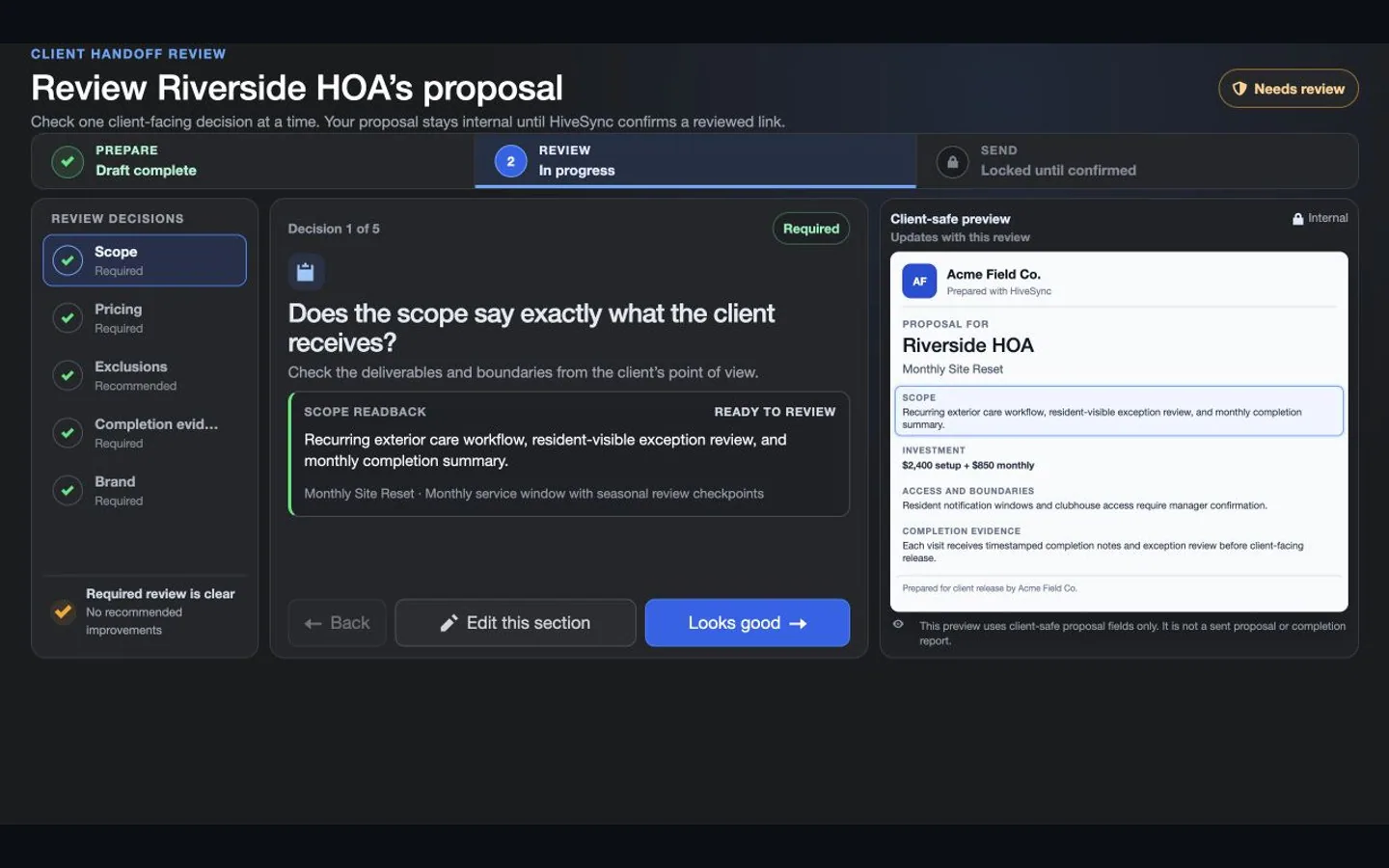 Illustrative persona demo · Nothing is saved, sent, purchased, or published.
Clear work
Keep repeatable work understandable, assigned, and reviewable.
See which feature helps with the next task.
One clear request
Keep deliverables, timing, access notes, approvals, and safe property details together.
An easier handoff
Give selected photographers, videographers, and service providers the same request.
Work you can review
Keep the approved work, updates, files, and final report with the job.
Choose a plan
Choose the option that matches your work.
See the pricing page for current prices, limits, checkout, and access.
Subscription plan
Free
No-cost starting plan Start with one clear listing or property-service request. Try included starters, inspect safe Marketplace previews, and create basic Hive-branded completion reports. See the Free planSee other access options
Subscription plan
Pro
Solo professional plan For a professional who wants reusable plans, reports, and controlled sharing. Create private Blueprints and MoveSync plans, publish approved Blueprints, and use the reports and branding included in your plan. Compare ProOne-time purchase
One-time workflow packs
One-time purchase For a focused one-time Blueprint without a subscription. Buy a focused Blueprint or workflow pack when you need one outcome rather than another subscription; previews show current creator, terms, and price. See one-time optionsCompare more ways to buy
Check the pricing page for current prices and access. Comparing an option does not buy it.
What you can use nowWorkflow coordination, not an MLS or transaction platform
What you can use now
Workflow coordination, not an MLS or transaction platform
HiveSync keeps requests, private provider responses, assignments, field details, and completion evidence together. It does not replace an MLS, brokerage CRM, showing scheduler, transaction coordinator, closing service, or professional legal advice.
- Keep public requests limited to safe, non-sensitive property details.
- Treat a saved or shared request as preparation, not a booking or accepted quote.
- Use EarnSync only for approved links, with a clear paid-relationship label.
What comes later
Automated vendor booking, MLS integrations, transaction milestones, escrow, and generalized referral payouts remain outside the current workflow.
Read common questions4 answers
Questions and answers
Common Questions
Can I request listing photography or video?
Yes. The first public requirements builder is designed for photo and video work and can carry deliverables, timing, logistics, budget guidance, and approval expectations.
Does sharing the request book a provider?
No. It creates a review path. The provider response, quote acceptance, payment, and final approval remain separate actions.
Does HiveSync replace my MLS or brokerage CRM?
No. HiveSync focuses on repeatable work, provider handoffs, field work, and completion evidence around the property job.
Can a realtor earn from shared Blueprints or supplies?
Only through an approved creator or promoter path with a clear paid-relationship label. Clicks and estimates do not mean money is owed to you.
Make the next listing handoff concrete.
Start with one property-safe request, then choose which professionals should receive it.