For production crews
Plan the shoot. Guide the crew.
Why this helps
Quote the work, plan prep through wrap, and keep the schedule, camera and lighting owners, media backups, logistics, and approved references with the crew.
- Plan
- Do
- Review
See it on web and mobileAssign crew roles. Open the work on mobile.
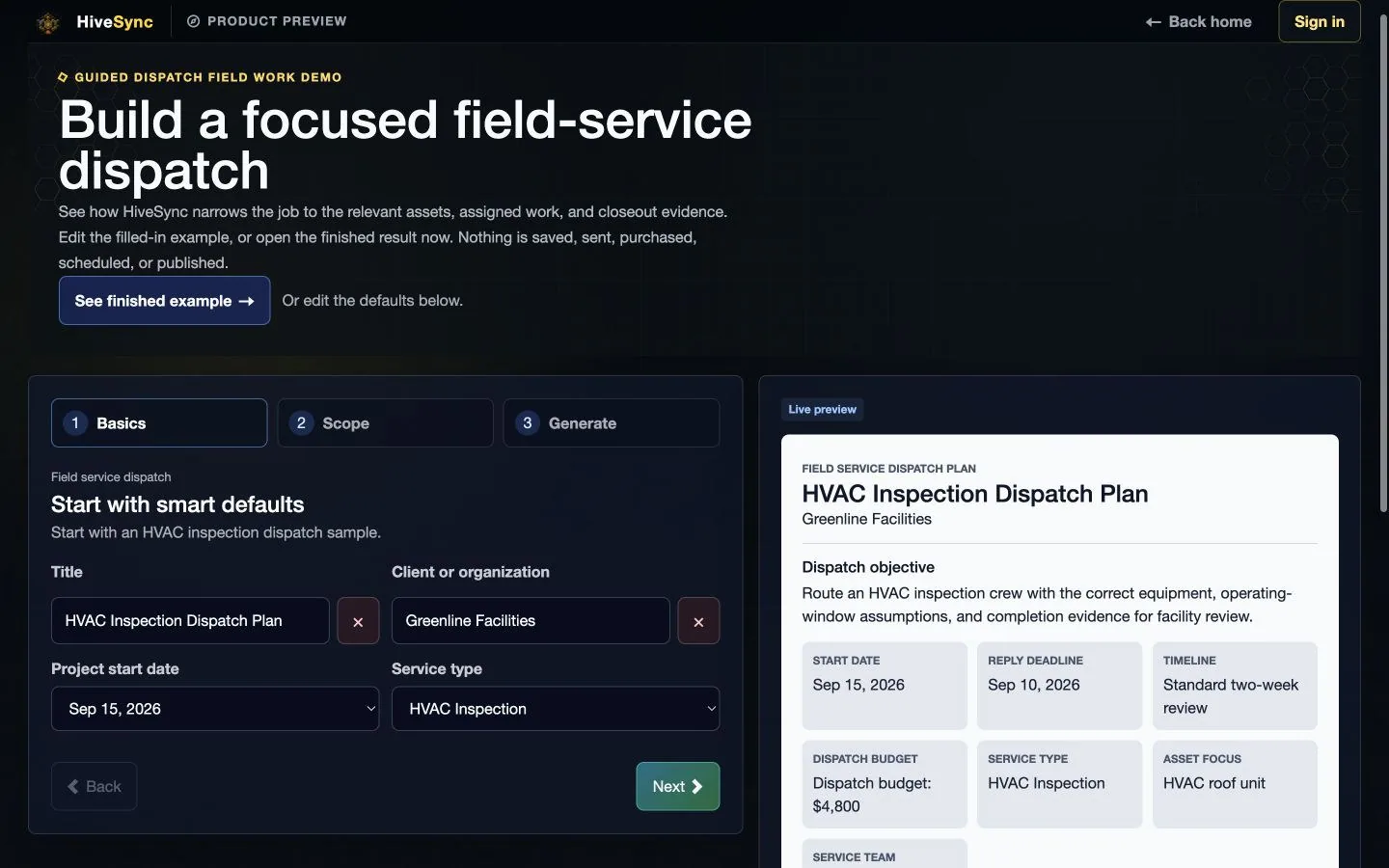
Assign the shoot on web. Open the handoff on mobile.
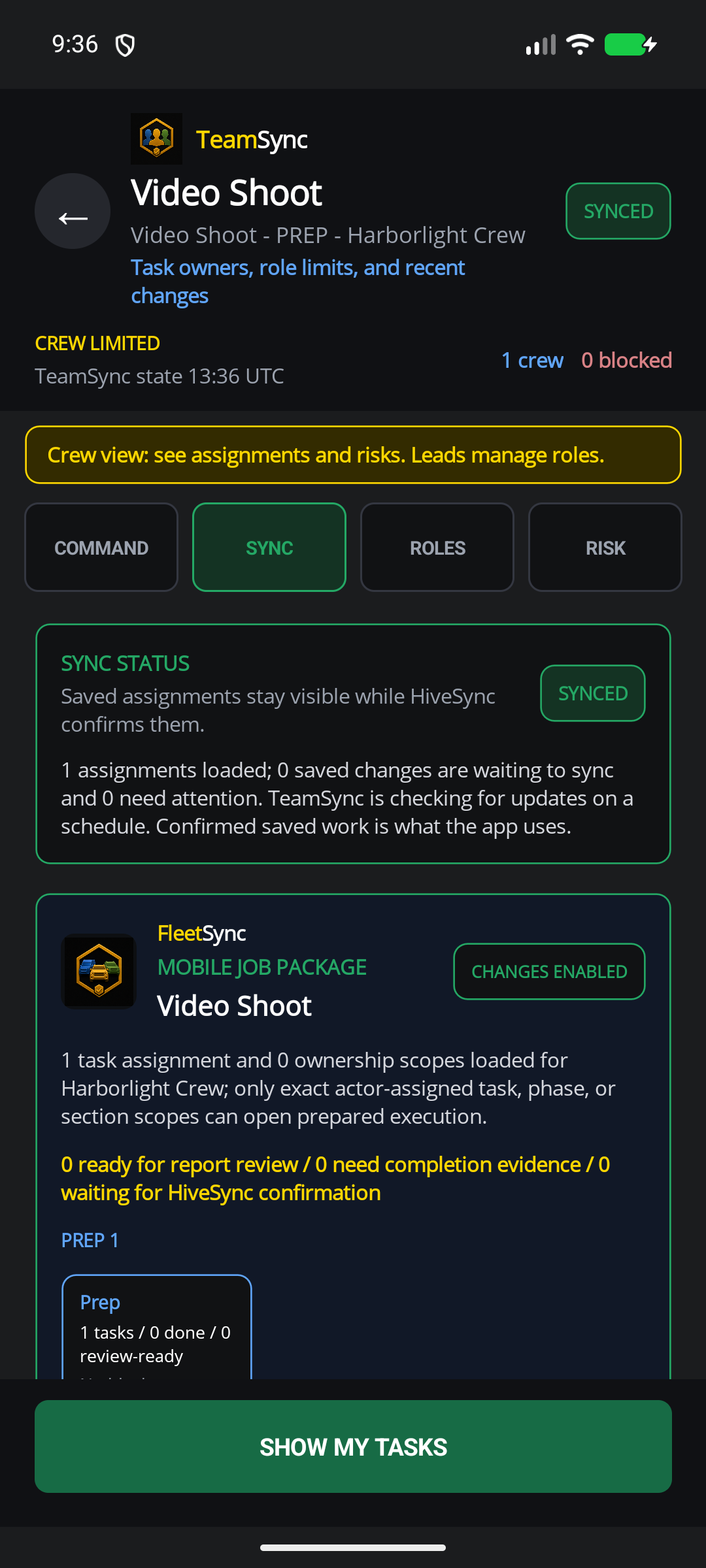
Assign crew roles. Open the work on mobile.
These examples use a made-up production crew. Waiting, accepted, delivered, and completed updates stay separate. They do not show automatic scheduling or camera control.
Web app
Mobile app
Clear work
Keep repeatable work understandable, assigned, and reviewable.
See which feature helps with the next task.
Solo photographers
Benefit details
Keep the brief, quote, files, schedule, equipment, work, and final report together without adding studio overhead.
Cinematographers and camera teams
Assign camera builds, lighting, media backup, gear handoffs, and wrap checks.
Benefit details
Waiting updates stay clearly labeled.
Studios and production crews
Benefit details
Reuse production standards you own, keep completed-work history, and apply to publish approved Blueprints or gear recommendations.
Choose a plan
Choose the option that matches your work.
See the pricing page for current prices, limits, checkout, and access.
Subscription plan
Team
Team workspace plan The starting point for studios that need named crew ownership, assignments, handoffs, and shared operating standards. Coordinate shared workspaces, named owners, role-aware handoffs, shared templates, and team reporting. Compare TeamSee other access options
Subscription plan
Pro
Solo professional plan For a solo professional building, running, and reporting repeatable production workflows. Build a repeatable solo practice with expanded workflows, publishing, creator tools, and client-ready reporting. Compare ProOne-time purchase
One-time workflow packs
One-time purchase For a focused one-time production Blueprint such as Shoot Day Essentials. Buy a focused Blueprint or workflow pack when you need one outcome rather than another subscription. See one-time optionsCompare more ways to buy
Check the pricing page for current prices and access. Comparing an option does not buy it.
See all stepsEach step shows the owner, the next action, and what changes when plans change.
How the work flows
Move from a reusable plan to a finished result.
Each step shows the owner, the next action, and what changes when plans change.
- 1
Review the brief
Confirm the requested result, files, limits, schedule, and unanswered production questions.
- 2
Quote and build the Blueprint
Set your work method, crew, gear, phases, task owners, and price.
- 3
Run the shoot on mobile
Move through prep, capture, and wrap with the schedule, logistics, gear lists, and approved references close at hand.
- 4
Deliver the result
Record issues and completed work, then prepare the agreed files and client-ready report.
See related featuresEach card shows current availability and links to a simple feature guide.
Features for this work
Use only the features you need.
Each card shows current availability and links to a simple feature guide.
 Selected teams
TeamSync
TeamSync connects named owners, role-aware assignments, queued field updates, and confirmed completion history without pretending every update is live.
Selected teams
TeamSync
TeamSync connects named owners, role-aware assignments, queued field updates, and confirmed completion history without pretending every update is live.
 Planned invite-only pilot
RecurSync
RecurSync is planned to connect a manager-reviewed schedule, assigned work, required evidence, an intended completion receipt, and searchable property history. Public signup and checkout remain closed.
Planned invite-only pilot
RecurSync
RecurSync is planned to connect a manager-reviewed schedule, assigned work, required evidence, an intended completion receipt, and searchable property history. Public signup and checkout remain closed.
 Creator + promoter
EarnSync
EarnSync connects creator Blueprints, storefronts, promotion, and confirmed earnings. Clicks and estimates do not mean money is owed to you.
Creator + promoter
EarnSync
EarnSync connects creator Blueprints, storefronts, promotion, and confirmed earnings. Clicks and estimates do not mean money is owed to you.
 Mobile testing
MoveSync
Build a guided movement plan on the web. Add a clear timer, optional form video, custom cues, interruption recovery, and an explicit finish action.
Mobile testing
MoveSync
Build a guided movement plan on the web. Add a clear timer, optional form video, custom cues, interruption recovery, and an explicit finish action.
What you can use nowPlan production without promising automation
What you can use now
Plan production without promising automation
HiveSync connects the brief, quote, production Blueprint, mobile work, completed-work records, and report. TeamSync names owners and keeps handoffs clear. RecurSync is not available yet. EarnSync publishing and promotion require permission, review, clear disclosure, and confirmed payment records.
- Organize a camera-production Blueprint around preparation, shoot work, and wrap.
- Carry project specifications, run-of-show context, logistics, and gear into mobile work.
- Use approved reference media on supported tasks and make sure you have permission to share it.
What comes later
Automatic booking, repeat-production scheduling, guaranteed creative quality, automatic media import, phone-level picture-in-picture, universal camera control, and client-created income are not available now.
Read common questions5 answers
Questions and answers
Common questions
Is this page for photographers and cinematographers?
Yes. The production path covers stills, motion, camera departments, mixed photo-video delivery, solo operators, and small crews while leaving professional and creative judgment to the provider.
Can I start from an existing camera workflow?
Yes. Shoot Day Essentials is the first public camera-production Blueprint. Review the public preview before choosing a one-time pack or a subscription.
Can a reference video float over a timed task?
For an approved timed task with supported media, the app can show a floating reference video. It is not native Android or iOS picture-in-picture, and availability still depends on the task and app settings.
How do RecurSync and EarnSync fit production?
RecurSync scheduling is planned but not available. Approved production experts can apply to publish Blueprints or clearly labeled gear recommendations through EarnSync. Neither creates automatic scheduling or guaranteed income.
Which plan fits a camera professional?
Pro is the starting point for a solo professional. Team fits studios that need shared ownership and handoffs. A workflow pack can fit one focused production outcome without a subscription.
Keep the next shoot in one plan.
Next-step details
Review the Team plan for a studio crew, or choose Pro when one person owns the work.