HiveSync Review TeamSync access

Assign the work. Keep every handoff visible.

What it does

TeamSync connects named owners, role-aware assignments, queued field updates, and confirmed completion history without pretending every update is live.

One owner. One next action. One clear handoff.

How it helps

Choose the owner before work starts, show offline or delayed updates, and keep the job details when the owner changes.

1

Choose the owner

Select a current team and approved member before work begins.

2

Send the work

Send the job and the right next action to the field.

3

Confirm the handoff

Keep confirmation, completion evidence, and handoff history together.

Who it helps

Who can use TeamSync?

Choose the example closest to your goal.

Property managers

Give each property visit one named owner.

Coordinate employees or vendors with saved assignments, clear handoffs, and completion history.

Plan property work

Cleaning and janitorial teams

Give each repeat client visit one named owner.
Cleaning and janitorial teams details

Keep approved work, its owner, exceptions, and confirmed handoff together while your current scheduler stays in charge.

Explore repeat service

Landscaping crews

Give each repeat property visit one named owner.
Landscaping crews details

Carry an approved service Blueprint into crew work while waiting, failed, and confirmed updates remain clear.

HiveSync mobile TeamSync screen showing a made-up landscaping crew, confirmed assignment, and property-access handoff
App screen · example data.
Explore landscaping

Pest-control teams

Keep repeat service clear from office to field.
Pest-control teams details

Assign one approved owner and keep the handoff without using TeamSync for treatment, licensing, or safety decisions.

HiveSync mobile TeamSync screen showing a made-up pest-control team, limited crew access, a confirmed assignment, and a site-access handoff
App screen · example data.
Explore pest control

Realtors

Keep approved property work clear.
Realtors details

Carry selected listing-media or property-service work into a named owner and field plan.

Explore realtor work

Team leads

Turn an SOP into assigned work.
Team leads details

Create, delegate, review, and improve repeatable tasks without treating delayed status as live certainty.

Explore team leads

Dispatchers

Give urgent field work one current owner.
Dispatchers details

Review the latest confirmed assignment, separate waiting or failed updates, and offer one safe next step without implying FleetSync access.

Review dispatcher access

Personal trainers and physical-therapy practice leads

Give approved practice work one named owner.

Use shared templates and clear handoffs.

Personal trainers and physical-therapy practice leads details

Keep diagnoses, treatment decisions, private client details, credentials, and clinical results out of TeamSync.

HiveSync mobile TeamSync made-up mobility-session handoff showing the Movement Practice Team, limited crew access, a confirmed assignment, and a Show my tasks action
App screen · example data.
Explore movement practice

Cinematographers and production crews

Give every camera, lighting, media, and wrap handoff one visible owner.
Cinematographers and production crews details

Carry an approved production Blueprint into crew assignments while waiting, failed, and confirmed updates remain clear.

Explore production crews

Field-service influencers and brand ambassadors

Show named ownership without calling delayed updates live.
Field-service influencers and brand ambassadors details

Use a made-up crew example to explain assignments, limited roles, waiting updates, and clear handoffs before sharing through a labeled EarnSync path.

Explore creator sharing

Web and mobile

Plan on the web. Work on mobile.

Separate illustrative examples are shown below. They are not one connected or saved handoff.

HiveSync / TeamSync Web app · example data

Team assignments

Review teams, task owners, assignment status, and the next action on the web.

Assign an approved job to one confirmed team member. Ready to review
Show whether a field update is waiting, failed, or confirmed. Ready to review
Recover from reassignment or revoked access without inventing success. Ready to review
Field work Operators receive role-aware work and keep useful status when the connection is intermittent. App screen · example data
Illustrative TeamSync production-crew assignment marked example only; this page does not assign, accept, or save work
More examples

Open another reviewed example when you want more detail.

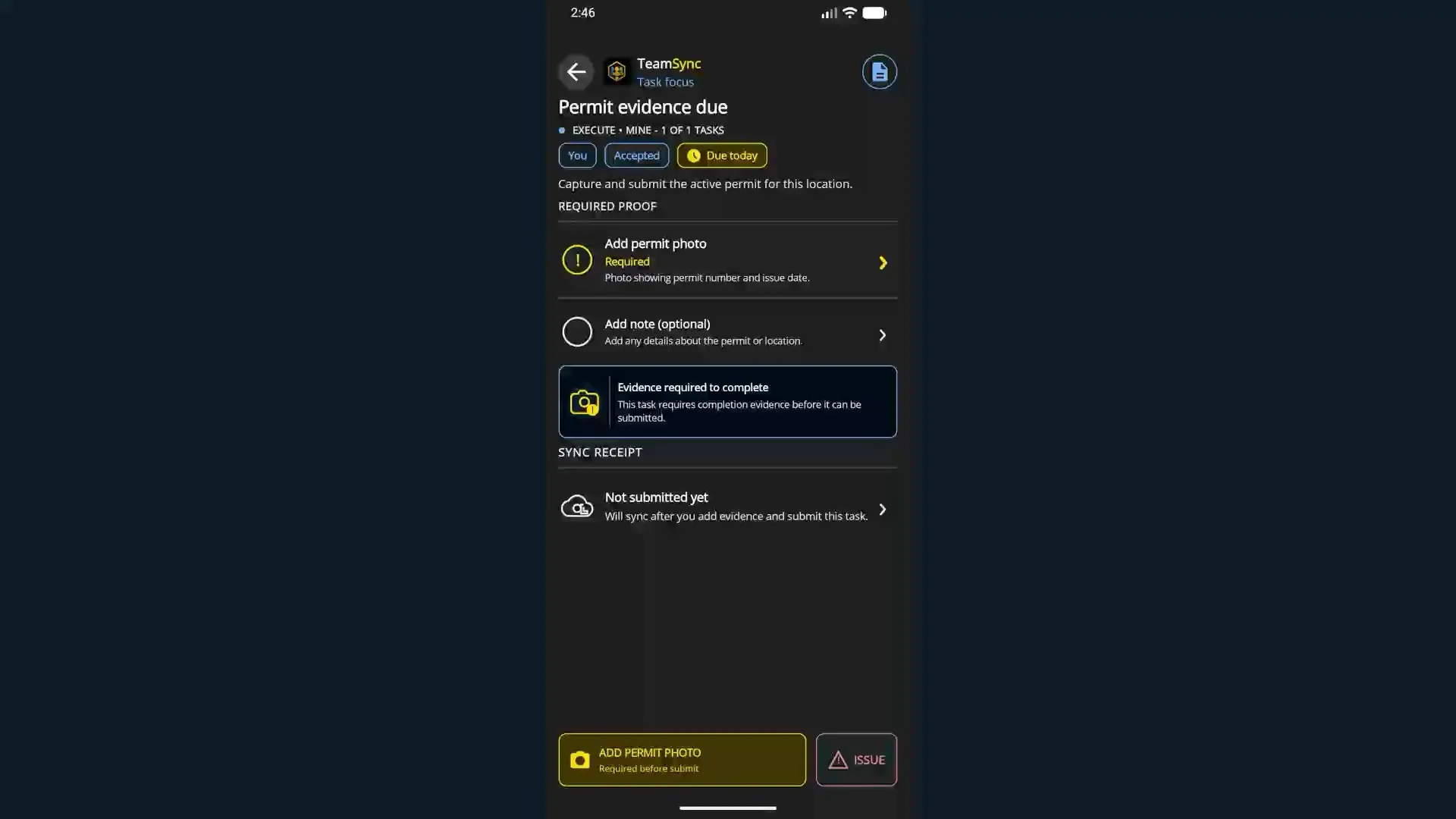
Made-up production crew assignment · static example Review the evidence a separate camera-prep assignment would require. This example does not assign, accept, save, or prove delivery. Mobile app · separate example · read-only · Static example.

Objective: Review the evidence a camera-prep assignment would require.

  1. Start: A separate made-up assignment is shown as read-only.
  2. Action: Review its evidence expectations.
  3. Result: The expected evidence is visible; no assignment or delivery is proved.

Static example · reviewed Aug 11, 2026

Illustrative TeamSync production-crew assignment marked example only; this illustration does not assign, accept, send, or save work

Selected teams

Available to selected teams

TeamSync begins with saved assignments and updates that may arrive later. Wider live teamwork still needs more testing.

Best fit: Team. Enterprise supports larger teams that need more control. Compare Team plans

  • Assign an approved job to one confirmed team member.
  • Show whether a field update is waiting, failed, or confirmed.
  • Recover from reassignment or revoked access without inventing success.
  • Connect proof of completed work and report history to the job.
What comes later

Planned: wider live teamwork and larger fleet support after more account, scale, and device-recovery testing.

Questions

Open the answer you need.

Does TeamSync require a constant connection?

No. HiveSync keeps updates waiting or failed until a matching HiveSync acknowledgement confirms them.

Is every TeamSync update live?

No. Some updates may arrive later. Wider live teamwork still needs more testing.

What happens when an owner changes?

The handoff stays with the job. HiveSync checks old or blocked access before showing the new owner as confirmed.

Which plan fits TeamSync?

Team is the natural starting point. Final seat quantity, price, and access are confirmed during signed-in checkout.

Assign the work. Keep every handoff visible.