HiveSync Create a project request

Request the work. Send a clear proposal.

Clients describe what they need on the web.

What it does

Providers prepare a private proposal, then move only approved work to mobile.

One clear path from request to finished work.

Keep the request, proposal, approved work, completion evidence, and final review together.

How it helps

Preparing them does not book or charge anyone.

1

Client defines the outcome

Describe the requested result, limits, timing, deliverables, and finish rules in the public web builder.

2

Provider prepares the proposal

Review the request, then tailor the package, price, exclusions, timing, and client preview in the private web workspace.

3

Both sides approve the work

A draft or shared link is only a starting point. Approval, booking, payment, and final review are separate decisions.

4

Provider does the approved work

Give the provider the approved outcome, limits, finish rules, and completion evidence needs without showing private proposal editing in the field.

Who it helps

Who can use Requests & proposals?

Choose the example closest to your goal.

Prospective clients

Turn an idea into one clear request.
Prospective clients details

Describe the outcome once, preview what providers will see, and keep booking, payment, acceptance, and completion as separate decisions.

Explore Prospective clients

Service providers

Respond professionally and keep control of your method.
Service providers details

Tailor a private proposal on the web, keep exclusions and client terms clear, then carry only approved work to mobile.

Explore Service providers

Web and mobile

Plan on the web. Work on mobile.

HiveSync / Requests & proposals Web app · example data

Request and proposal builder

Build the client request, review the provider's offer, and clearly show whether the work is a draft, sent, approved, or complete.

Build and preview the first supported client request on the public website. Ready to review
Prepare the price, exclusions, timing, and client terms in the private provider workspace. Ready to review
Carry approved work, limits, and finish rules into the mobile app. Ready to review
Accepted work on mobile Mobile receives the approved work, limits, finish rules, and handoff after both sides decide on the web. App screen · example data
HiveSync mobile view showing approved client work, limits, finish rules, and a field handoff with example data
More examples

Open another reviewed example when you want more detail.

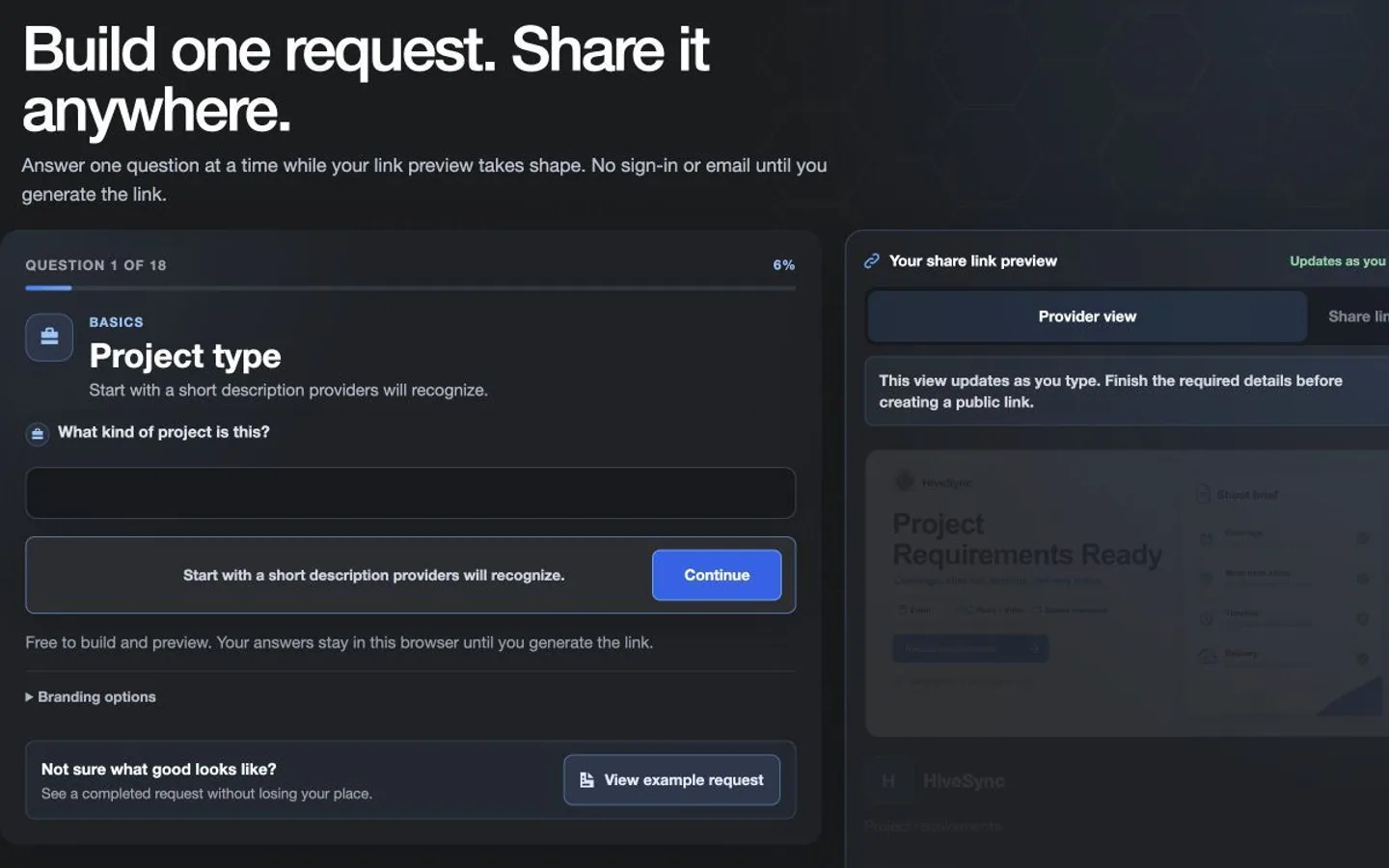
Review the request, then create its share link Move from private email review to a ready-to-share project request link. The link asks for quotes only; it does not create a booking, payment, or approval. Web app · example data · Before-and-after example.

Objective: Prepare a reviewed request link without booking work.

  1. Start: The request remains private while its final details are reviewed.
  2. Action: Review the request and create its share link.
  3. Result: A quote-request link is ready; booking, payment, and approval remain separate.

Before-and-after example · reviewed Aug 11, 2026

HiveSync public requirements builder moving from private email review to a ready-to-share project request link while booking, payment, and approval remain separate with illustrative demo data
Provider offer and client preview Switch the service package in the private Web proposal workspace and see the client-facing offer update. Web app · example data · Objective demo.

Objective: Align the client preview with the selected service package.

  1. Start: The recurring-care package is selected in the private proposal.
  2. Action: Switch to the one-time site-reset package.
  3. Result: The client-facing work and price preview update together.

Objective demo · reviewed Aug 11, 2026

HiveSync Web proposal builder switching from recurring property care to a one-time site reset while the client-safe preview updates with illustrative demo data
Review the proposal, then choose the handoff Confirm the client-ready work before HiveSync creates a proposal link. The provider still chooses how and where to send it. Web app · example data · Before-and-after example.

Objective: Prepare a client-ready proposal handoff.

  1. Start: The proposal remains in private review.
  2. Action: Confirm the client-ready work and create its link.
  3. Result: A proposal link is ready; the provider still chooses where to send it.

Before-and-after example · reviewed Aug 11, 2026

HiveSync private provider view moving from a client-ready proposal review to a confirmed link and provider-chosen handoff with illustrative demo data
Review approved work on mobile Review the approved work, operating limits, and finish rules before opening field work. Proposal editing stays on the web. App screen · example data · Objective demo.

Objective: Review approved work and its operating limits before starting.

  1. Start: The received request summary and approved work are visible.
  2. Action: Scroll through the example request, limits, and required completion evidence.
  3. Result: The approved work, limits, and evidence requirements are visible; the job is not opened.

Objective demo · reviewed Aug 11, 2026

HiveSync mobile client request showing the approved work, limits, finish rules, and field handoff with illustrative demo data

Request and proposal

Start where the work begins

Clients can build and preview a photo or video request without signing in.

Availability details

Providers need an account to prepare a private proposal. Approved work can then move to mobile.

Clients can start in the public web builder. Pro fits repeat quoting and delivery; Team fits shared work. See pricing for current access and limits. Compare plans
  • Build and preview the first supported client request on the public website.
  • Prepare the price, exclusions, timing, and client terms in the private provider workspace.
  • Carry approved work, limits, and finish rules into the mobile app.
  • Keep proof of completed work connected to the agreement and final report.
What comes later

Planned: more request types, provider interest and quote routing, stronger completion evidence links, and tools for handling more responses after privacy and delivery testing.

Questions

Open the answer you need.

Can a client start without an account?

Yes. The first supported photo/video requirements builder allows public drafting and preview. Creating other request categories or preserving private workspace history may require a current account path.

Does preparing a proposal accept or book the job?

No. A proposal remains a private draft until an authorized provider sends it, and sending still does not charge the client or prove acceptance.

Can providers write the proposal on mobile?

Not yet. Providers prepare the proposal in the web app. Mobile carries the approved work to the field.

What reaches the mobile app?

Only what is needed to do the work: the approved work, limits, finish rules, and completion evidence needs. Private proposal drafts stay on the web.

Does this include RecurSync?

No. Requests and proposals work independently of RecurSync. RecurSync remains planned and unavailable, and this page does not render or promise RecurSync product media or access.

Request the work. Send a clear proposal.