
Schedule recurring work. Keep service records.
Plan repeat schedules in RecurSync and name today's owner in TeamSync.
Why this helps
Use consented 24-hour and 2-hour reminders, client confirmations or change requests, and retained service history.

From repeat plan to reviewed history.
Plan the recurring service, carry the current visit into the field, and retain the reviewed result.
RecurSync
Plan repeat work
Set the repeat schedule and review the next confirmed service visit.
See the full workflow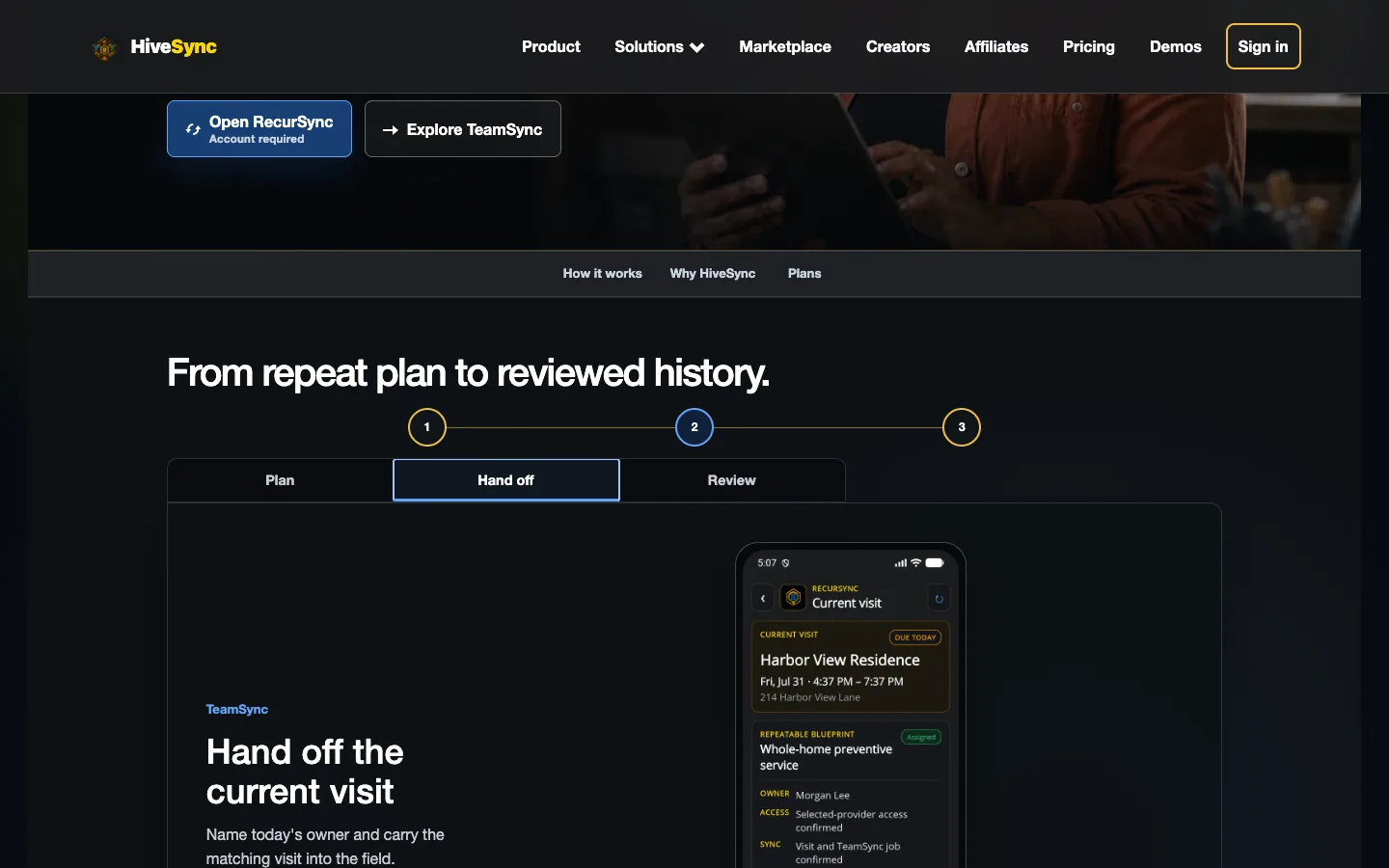 Illustrative persona demo · Nothing is saved, sent, purchased, or published.
TeamSync
Hand off the current visit
Name today's owner and carry the matching visit into the field.
See the full workflow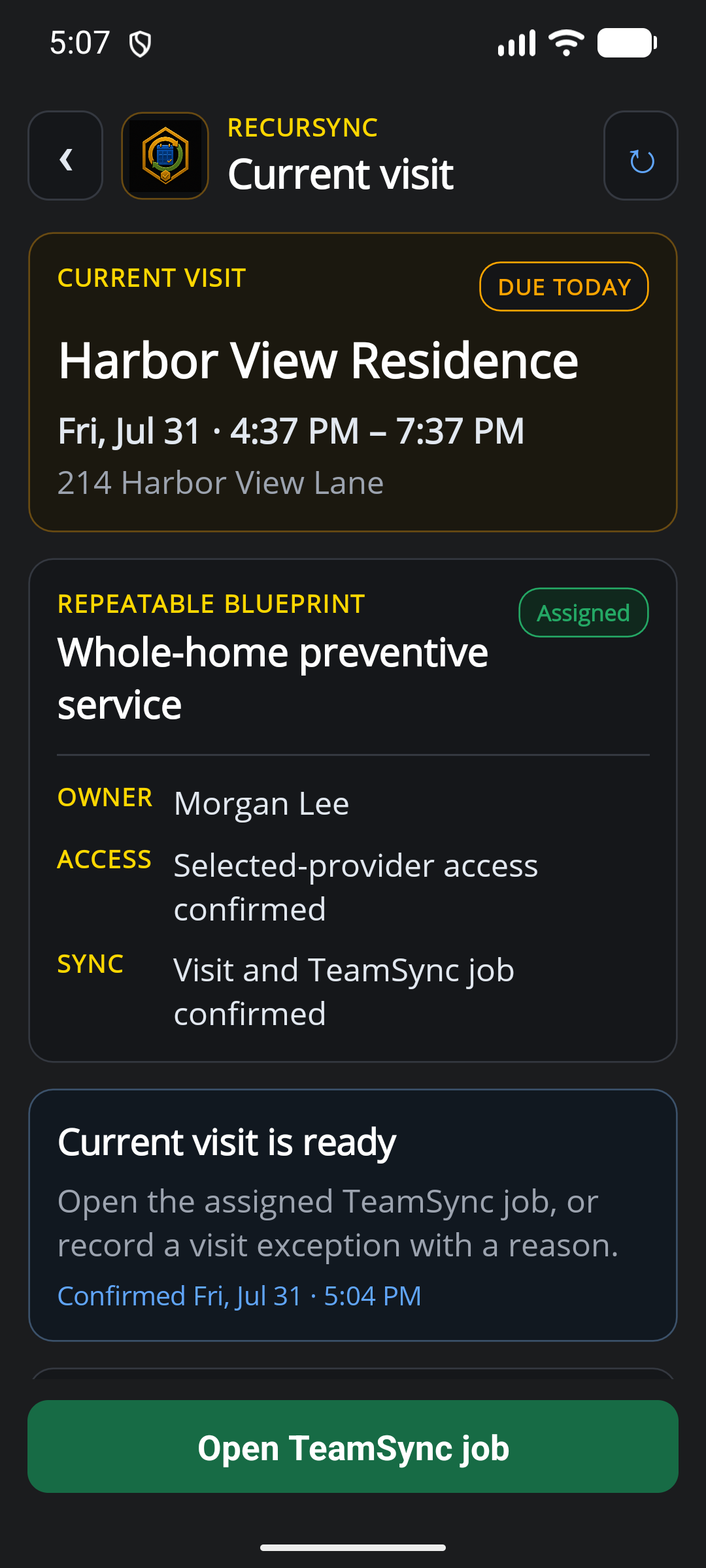 Static product state
HiveSync record
Review the service history
Review evidence and exceptions, then retain the result in service history.
See the full workflow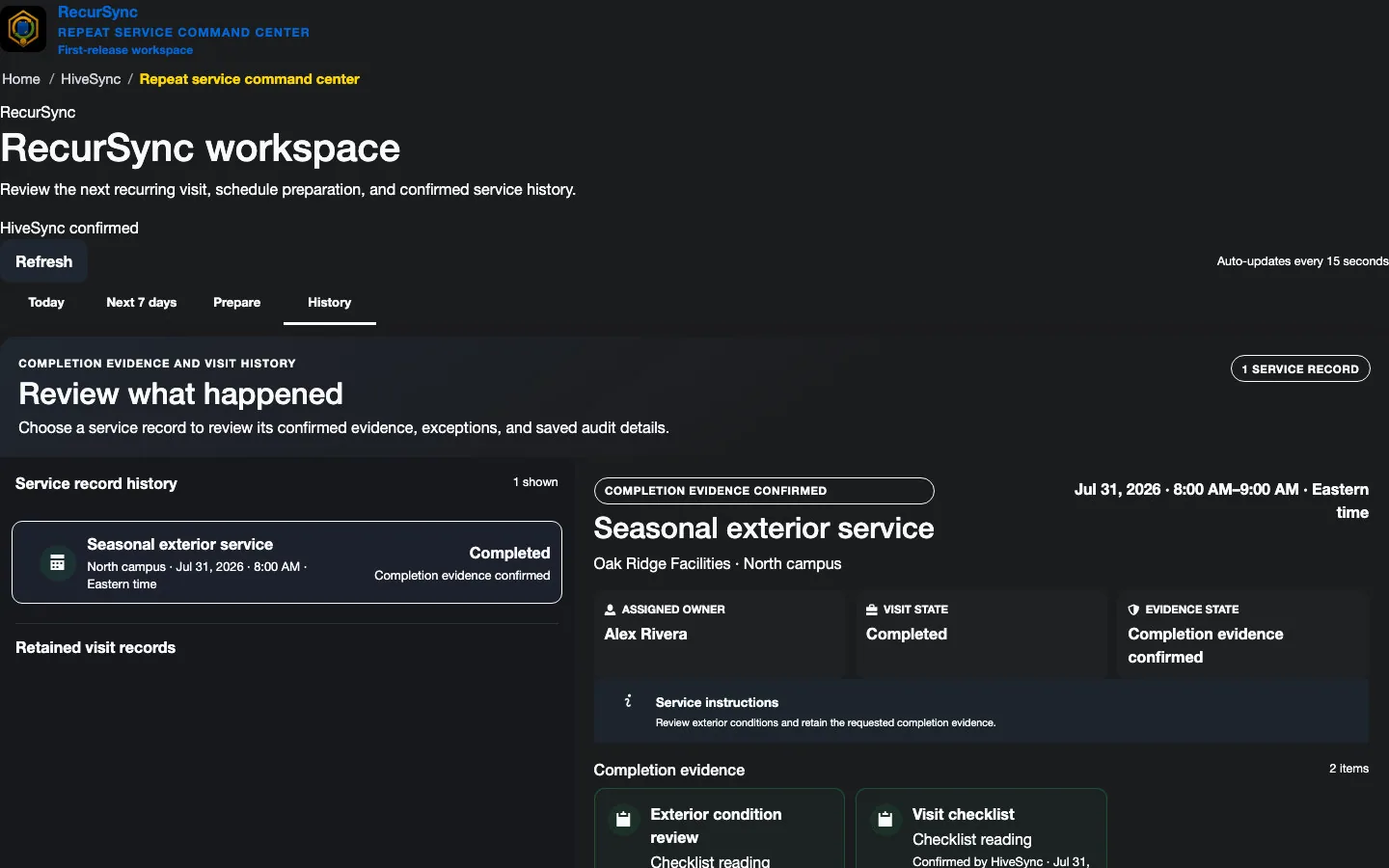 Static product state
For work you do again
Keep each visit clear and easy to review.
Use the implemented workspace path, then review supporting details only when needed.
Standardize each visit
Benefit details
Use an owned Blueprint to keep the approved service method understandable and reusable.
Name the current owner
Use TeamSync to assign today's work and keep handoffs clear.
Retain service context
Keep exceptions, completion evidence, and reports available for the next client conversation.
Current access
Start with the plan that supports today's repeatable work.
Plan details
Review the separate RecurSync subscription on pricing; HiveSync confirms current ownership, operator places, renewal, and checkout.
Subscription plan
Team
Team workspace plan For businesses that need clear owners, shared templates, and easy handoffs. Coordinate team work, assign responsibilities, plan daily stops, and share templates and reports. Compare TeamSee other access options
Subscription plan
Pro
Solo professional plan For a solo provider building repeatable service and client-ready completion history. Author repeatable service workflows, keep solo history, and deliver client-ready reports without adding a shared team workspace. Compare ProCompare more ways to buy
Check the pricing page for current prices and access. Comparing an option does not buy it.
What you can use nowSubscription workspace access
Before planning repeat schedules
Subscription workspace access
Organization owners can purchase RecurSync after sign-in. Public examples remain read-only and create no schedules, assignments, evidence, or messages.
- Use only capabilities listed as available in the signed-in workspace.
- Sign in with access to the organization and an active paid plan before making changes.
- A reviewed work record does not certify legal compliance.
What comes later
The standard reminder baseline is 24 hours and 2 hours with consent, quiet hours, opt-out, retry, and carrier-status handling. Carrier acceptance is not recipient-delivery completion evidence, and 1 hour is not standard availability.