
Keep Every Visit, Technician, and Service Record Connected
Plan repeat visits, give technicians clear ownership, and keep property history ready for the next follow-up.

Repeat pest-control work
Keep Visits, Field Owners, and Service History Together
Why this helps
Connect repeat service to a clear handoff without making treatment or compliance claims.
Keep Service History Intact
Connect the current visit to prior results, exceptions, completion evidence, and the next client follow-up.
Show Who Owns the Visit
Use TeamSync to show the current owner, handoff status, and next action.
Plan the Next Visit
Keep repeat inspections, property access notes, and follow-up work visible before the technician arrives.
Explore a Pest-Control Day
Plan the routine visit, give an approved technician the field handoff, and review the recorded result.
RecurSync
Plan the Next Visit
Set the repeat schedule, site notes, and next confirmed service visit.
See the full workflow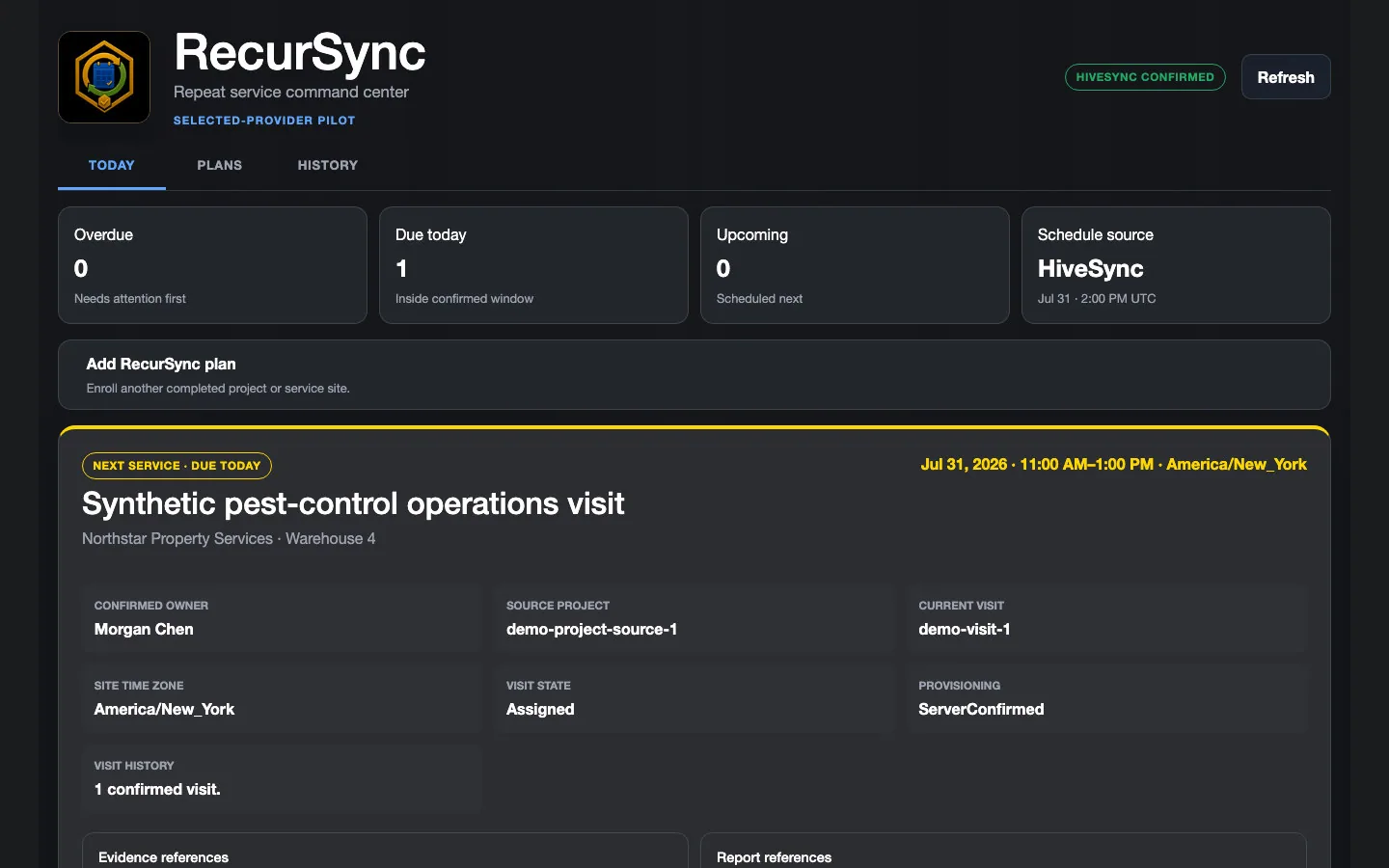 Illustrative persona demo · Nothing is saved, sent, purchased, or published.
TeamSync
Confirm the Technician’s Work
Open TeamSync Command and confirm the accepted service assignment has an accountable owner.
See the full workflow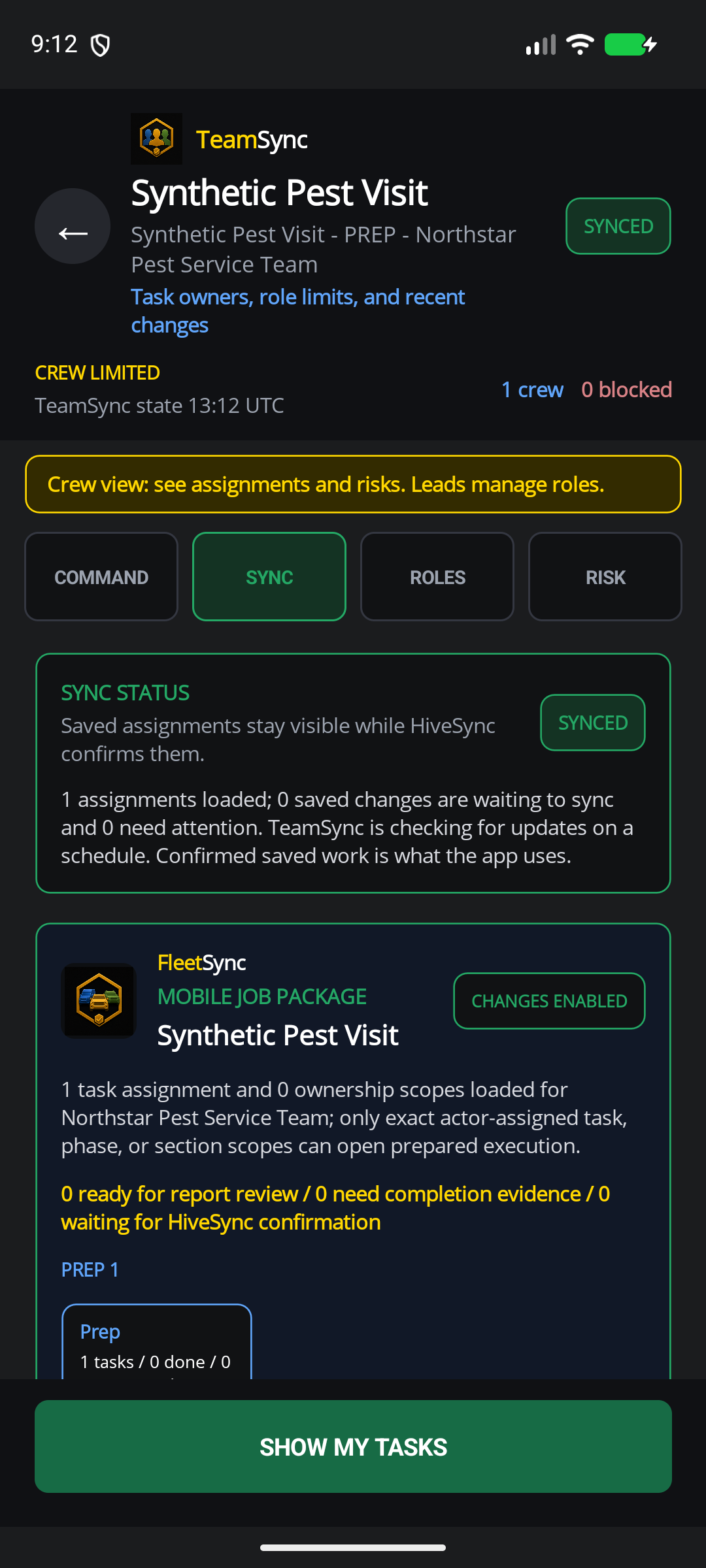 Static product state
HiveSync record
Review the Service Record
Review the service record without treating it as legal or compliance certification.
See the full workflow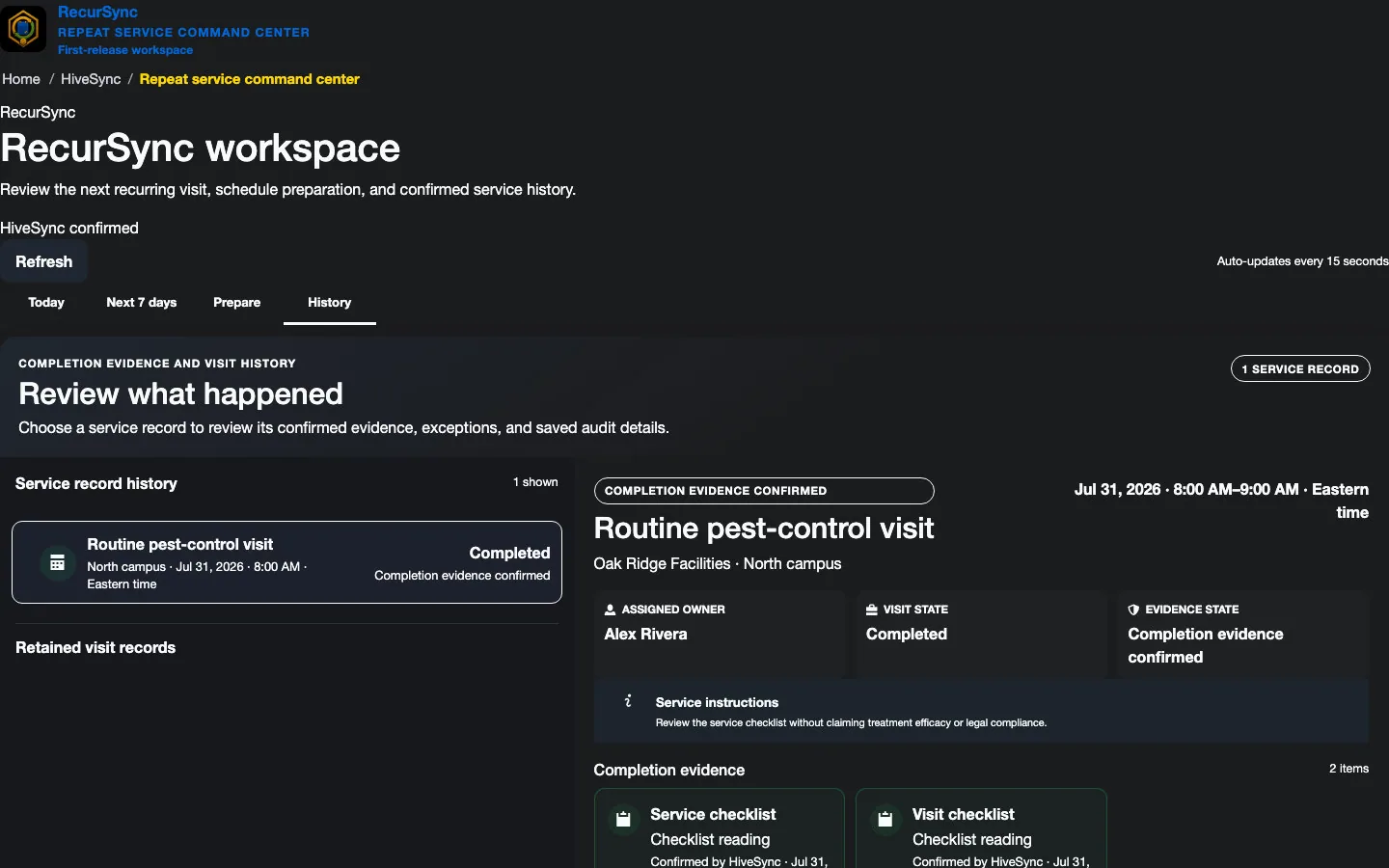 Static product state
Keep Company Insurance Records Organized
keeps private company certificates of insurance, human review, and renewal follow-up together.
Included with Team · up to three active records
Company Insurance Renewal
Illustrative sample. Nothing is saved or changed.
- Record
- Cedar Grove Pest Services — certificate of insurance
- Review
- Replacement document awaiting human review
- Owner’s Next Action
- Review the replacement’s facts before updating the insurance record.
An uploaded replacement does not automatically become reviewed evidence.
Organizes company insurance evidence; it does not verify pesticide licenses, choose treatments, or certify coverage or legal compliance.
Explore ComplySyncPlans for Pest Control
Choose Your Pest-Control Setup
Team covers field coordination and supported insurance records.
Plan details
RecurSync is a separate subscription for repeat visits.
Subscription plan
Team
Team workspace plan FleetSync daily stops and supported ComplySync insurance records, even when you start with one named seat. Add RecurSync separately for recurring visits. Coordinate team work, assign responsibilities, plan daily stops, and share templates and reports. Compare PlansSee other access options
Optional add-on
Separate monthly subscription Add recurring visits and retained service history with a separate monthly subscription. Separate RecurSync subscription: $29/month includes two licensed operator places, plus $10/month for each additional active operator. You can start with yourself. Current ownership, operator quantity, and renewal terms are confirmed before Stripe Checkout. Review founding offer
Subscription plan
Pro
Solo professional plan For creating and publishing private Blueprints; it does not replace Team access for FleetSync and ComplySync. Create private Blueprints and MoveSync plans, publish approved Blueprints, and use the reports and branding included in your plan. Compare ProCompare more ways to buy
Check the pricing page for current prices and access. Comparing an option does not buy it.
What you can use nowKeep Treatment Decisions with Trained People
What you can use now
Keep Treatment Decisions with Trained People
HiveSync can organize a work Blueprint, assign the visit with TeamSync, and show FleetSync Stops with a numbered list and an enabled-organization Google Maps static preview. It does not choose products, doses, treatment methods, routes, or license rules.
- Share only the client, site, and service details the assigned person needs.
- Show waiting, failed, and confirmed updates as different results.
- Keep product choices, application, labels, licenses, safety, and legal rules with trained people.
What comes later
Broader automated staging, route planning, constant live tracking, chemical choices, compliance certification, and automatic treatment are not first-release claims.
Read common questions6 answers
Questions and answers
Common Questions
Does HiveSync choose a treatment or product?
No. HiveSync helps plan and record the work. It does not give chemical, application, license, safety, or legal guidance.
Where can I use RecurSync?
Organization owners can purchase RecurSync through the signed-in workspace. Public examples remain read-only.
What does ComplySync cover?
Private company insurance certificates, human review, and renewal follow-up. Team includes up to three active records. It does not verify pesticide licenses, choose treatments, or certify compliance.
How do I pay or cancel?
Payment details are entered on Stripe-hosted Checkout. Team and RecurSync have separate charges and renewals. Existing subscriptions are checked before payment; manage billing or cancel renewal from each active subscription page.
Can a pest-control expert publish a Blueprint?
Possibly, when they own or have permission to use the material and it passes review. HiveSync does not certify the creator.
Which plan fits a small pest-control business?
For RecurSync, FleetSync, and ComplySync together, choose Team plus a separate RecurSync subscription. Start with one Team seat and yourself in the two included RecurSync operator places; no teammate invitation is required. Review current prices and renewal terms before signing in.
Compare Plans for Your Pest-Control Business
Next-step details
Compare Team and separate RecurSync charges, or explore the examples before creating an account.